
AI presentation source map: turn research into five useful slides
A five-slide source map, worked example and copyable prompt for AI presentations. Keep claims, evidence and missing facts visible before designing the deck.
Sources checked:
Prepared with AI assistance and source review on September 16, 2026. Examples are illustrative, not provider benchmark results.
On this page
To turn research into an AI presentation, give each slide a claim, a source and a reason to exist before asking for a design. A five-slide source map can expose a missing number or an unsupported conclusion.
Anthropic's September 16 announcement introduces Claude Slides and Claude Docs alongside the merger of Cowork and chat. It describes editable presentations, with PowerPoint and PDF downloads, and notes that the new creation tools are in beta on paid plans. Availability is rolling out; check your account before planning a deadline around it. Anthropic's announcement
The useful question for a creator is what to hand a slide-making model. A folder of notes leaves it to decide which facts deserve a large headline. Here is a smaller, auditable input.
Build the argument before the deck
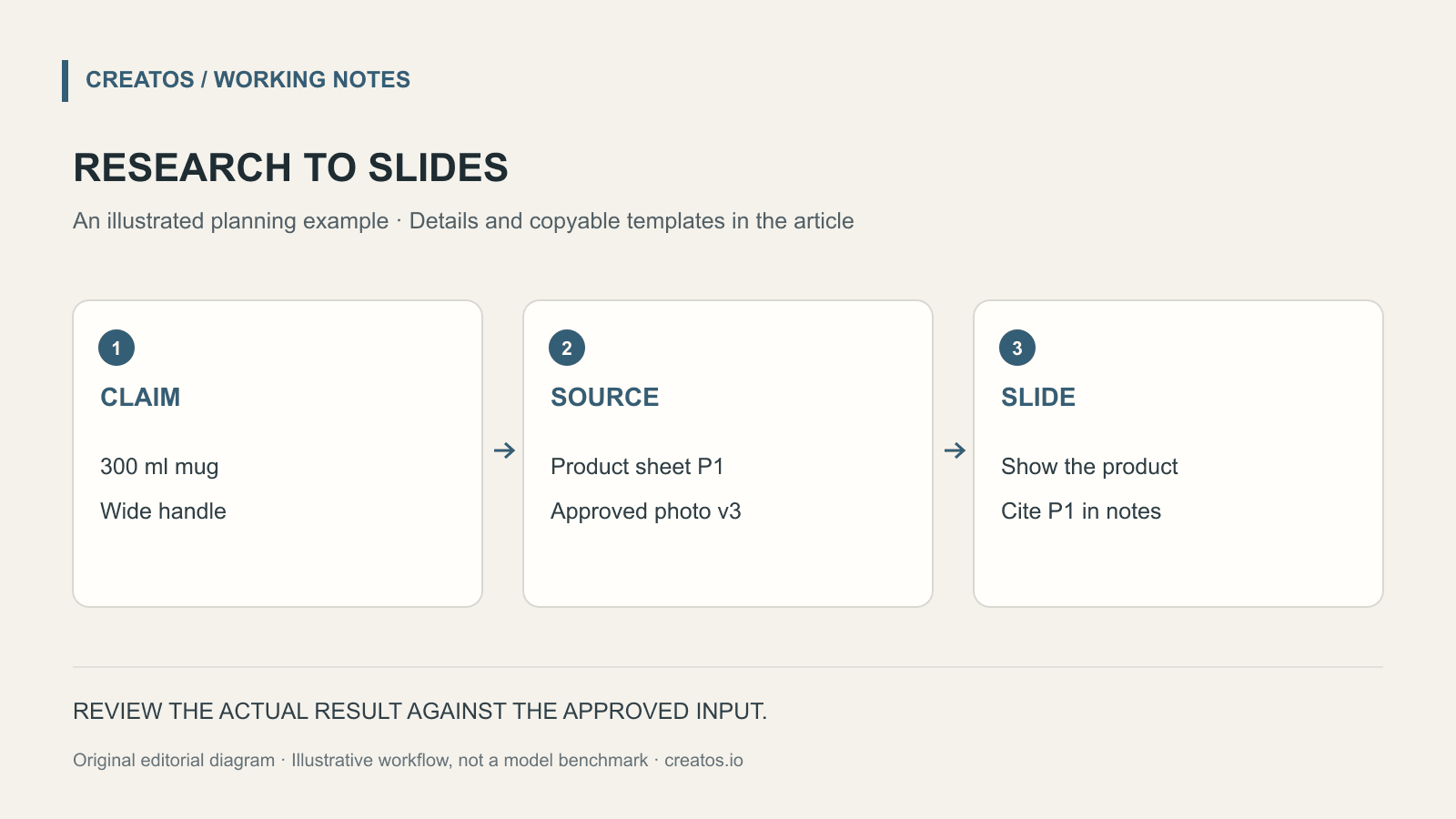
Suppose a fictional ceramics studio wants a retailer to stock a new mug. It has a product sheet, a wholesale price list and three customer interviews. The task is a short buyer presentation, not a general history of the studio.
Give every source a label. P1 is the approved product sheet; W1 is the current wholesale list; I1–I3 are interview notes. Put the version date and permission to share beside each one. A private interview can inform a theme without becoming a named customer quote.
Then make this map. The sample values below are invented to demonstrate the method, not market data or results from Claude.
| Slide | What the buyer should understand | Supporting material | What still needs checking |
|---|---|---|---|
| 1. The product | A 300 ml mug with a wide handle | P1, dimensions section | Photograph matches the current glaze |
| 2. The customer | Two interviewees mentioned handle comfort | I1 and I3, exact passages | Permission to quote; no claim about all customers |
| 3. The offer | A case contains 12 mugs | W1, case-size row | Current price and currency |
| 4. The shelf | Two display arrangements to choose from | Original layout sketches | Retailer's available shelf dimensions |
| 5. The next step | Request a sample case | Studio's approved contact details | Delivery promise has not been supplied |
That last empty cell matters. A polished slide saying “ships in 48 hours” would introduce an unsupported commitment. Leave the delivery timing out, or label it as a question for the studio.
A prompt that keeps the sources attached
Paste the source map alongside the files. The prompt below specifies the deliverable without pretending that every tool has the same file-upload controls.
Create a five-slide presentation for a retail buyer.
Use the attached source map as the outline.

For each slide provide:
- A headline supported by the listed evidence.
- No more than three short supporting points.
- A suggested visual and its source or asset filename.
- Speaker notes with the source ID and page or section.

Do not fill missing prices, dates, testimonials or delivery terms.
Put unresolved facts in a separate questions list.
Treat the interview comments as individual observations.
Do not describe them as representative customer research.
Ask for the outline first if the evidence is still changing. A full deck is useful once the argument is settled; otherwise every correction can affect text, charts and layout at once.
Check the exported file, not just the conversation
Open the actual PowerPoint or PDF that the audience will receive. A correct answer in chat does not establish that a label survived export or that a font fits on the slide.
For slide 2, read the original interview passage beside the slide and its notes. Did “I find this handle comfortable” become “Customers prefer our ergonomic design”? The second wording adds a comparison and a broader claim. Replace it with the narrower observation, or remove the slide if it does not help the buyer decide.
For slide 3, check units and arithmetic against the price list. If the hypothetical wholesale price is €8 per mug, a 12-mug case totals €96 before any separately specified charges. Do not let a model infer tax treatment or shipping from that multiplication.
For slide 4, label concept images as concepts. A mock-up of a retailer's shelf is not a photograph of an installation. Keep the original product photograph and the proposed layout separate in the working file so a later edit cannot quietly replace one with the other.
Keep the working map reusable
A source map is useful again when the buyer asks for a three-slide version. You can remove slides while keeping the surviving claims attached to evidence.
In Creatos, you can place the source excerpts in text content nodes and the approved photographs in image content nodes, then arrange a row for each proposed slide. The content-node guide explains those inputs. This is a way to organize the material before handing it to a presentation tool; the example above does not require an integration with Claude Slides.
The source map and ceramics example are original editorial templates. We reviewed the linked announcement on September 16, 2026; we did not run a Claude Slides generation test for this article.
Sources
Continue reading
Browse all posts
Save Colab images before a runtime reset: verify the copy
Keep generated PNGs and settings outside the Colab runtime. Use a locally tested copy-and-hash helper, then check the files independently in Drive.

Meta Hologram vs a live camera in product demos
Separate an AI presenter from evidence of a product. A proposed 35-second label demo shows when to use actual photos, screen recordings and captions.
MiMo video review: why short details disappear
A worked sampling example shows why MiMo can miss a brief label, how fps differs from resolution, and what to check before approving a product video.