
Meta Hologram vs a live camera in product demos
Separate an AI presenter from evidence of a product. A proposed 35-second label demo shows when to use actual photos, screen recordings and captions.
Sources checked:
Prepared with AI assistance and checked against the linked announcement and attributed hands-on report. The shot plan is a proposed example; we did not operate Hologram or record this demonstration.
On this page
A realistic presenter image can carry the conversation while leaving the product itself unseen. If you are planning a demonstration around Meta's Hologram announcement, reserve actual camera or screen footage for the details you want a customer to verify.
For Meta Ray-Ban Display, Meta describes Hologram as a digital face created after a short capture in the Meta AI app. During the call, voice drives the avatar and the model infers expressions. Meta announced US Early Access on WhatsApp for later this fall. That is the rollout described in its September announcement, not a claim that the feature is already available everywhere.
A convincing face is not a camera pointed at the product
UploadVR's David Heaney tried Hologram at Meta Connect. He reported initially mistaking a caller's synthetic face for a selfie-camera feed. In his account of the Ray-Ban Display version, setup also captures clothing and background, and the call generates the face from microphone audio. His hands-on report is the source of that observation; we have not tried the device.
A viewer may see a plausible presenter without seeing what that presenter is holding now. The avatar's smile also should not be treated as a direct measurement of the person's current facial expression.
Heaney describes a separate VR implementation with additional tracking. Do not transfer the voice-only explanation to every version called Hologram. This article concerns the Ray-Ban Display calling feature.
Match each claim to a view that can support it
Consider a creator presenting a new label design for a small bottle. These are different claims, even if one sentence introduces them all:
| What you want to say | View to prepare | What that view can establish |
|---|---|---|
| "Here is the design direction." | Presenter or clearly labeled avatar introduction | Your explanation of the proposal. |
| "The small text stays legible on this bottle." | A close-up of the actual printed sample at a useful scale | Visible lettering on that sample, under the shown conditions. |
| "Version B moves the ingredients away from the seam." | Matched photos of the two labeled samples | The visible difference at the seam. |
| "Changing the headline updates this layout." | An actual screen recording of the edit | The demonstrated software action in that session. |
A generated mockup can help propose a look. Label it as a mockup, and use a photographed sample when the claim is about the printed object. Likewise, a still screenshot shows a state; it cannot establish how quickly a software action completed.
A proposed 35-second demonstration plan
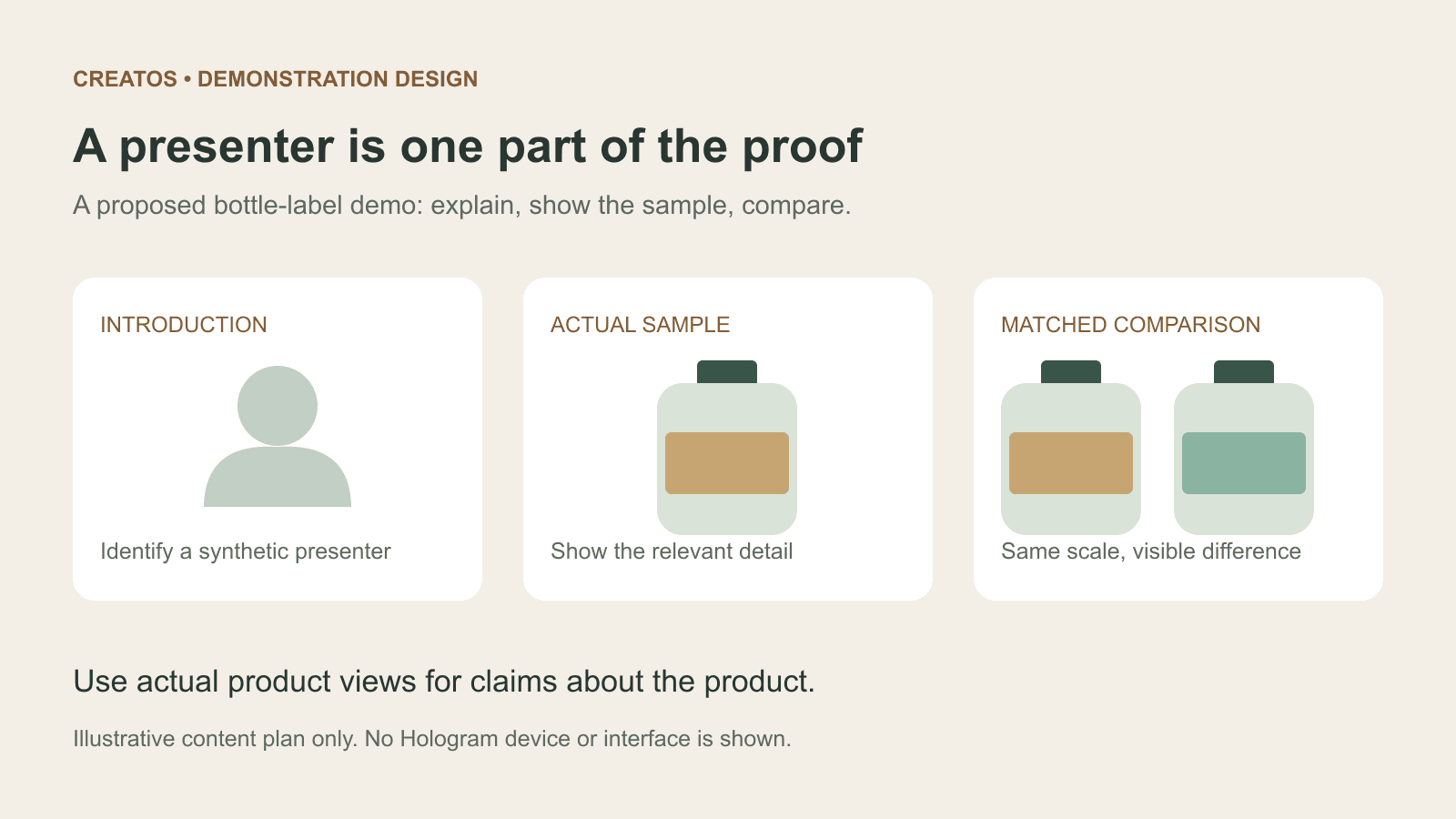
Here is an original content plan for that bottle-label example, not a feature tutorial or a demonstration we recorded:
| Segment | Show | Say or caption |
|---|---|---|
| 0 to 5 seconds | Presenter; an avatar only where available and permitted | "We are comparing two label layouts." Identify a synthetic presenter visibly if used. |
| 5 to 15 seconds | Real close-up of sample A | "The seam crosses the final two letters here." Point to the visible region. |
| 15 to 28 seconds | Sample B beside A at the same scale | "B moves that line inward." Keep lighting and angle comparable. |
| 28 to 35 seconds | The chosen sample and a short decision caption | "Approve layout B; confirm the final print proof separately." |
The plan can be assembled with ordinary captures. It does not assume WhatsApp can switch these feeds, export an avatar recording or integrate with an editor. Check the actual capture and sharing options before promising a particular presentation format. If an avatar segment is unavailable, an ordinary presenter shot works for the same introduction.
In Creatos, image and text nodes can hold the two actual sample photos with their captions while you plan the comparison. Keep the source type in each title: "printed sample A," "printed sample B," or "generated mockup." The source label tells the audience which image supports the decision.
Sources
- Meta: Hologram for Meta Ray-Ban Display ·
- Hologram: first-hand impressions at Meta Connect · David Heaney, UploadVR ·
- Creatos content nodes
Continue reading
Browse all posts
Save Colab images before a runtime reset: verify the copy
Keep generated PNGs and settings outside the Colab runtime. Use a locally tested copy-and-hash helper, then check the files independently in Drive.

MiMo video review: why short details disappear
A worked sampling example shows why MiMo can miss a brief label, how fps differs from resolution, and what to check before approving a product video.
Build a useful Claude brand-review skill before packaging a plugin
A proposed four-case test for a Claude brand-review skill: correct artwork, wrong wording, missing references and optional style preferences.